


Descrição
SPECIFICATIONS
Width[cm]: 18
Video Maximum Resolution[Pixel X Pixel]: 4K(4096*2160)
Video Format[Name/Type]: MP4
Transmitter Power[dBm]: <33 dBm
Transmission Range: 10km
Storage: 20GB
Stobe: no
Spotlight: no
Sensor Size: 1/1.7 inches
Sensing System: Downward
Removable/Replaceable Battery: YES
Remote Distance: 10 km
Remote Controller Battery Capacity[mAh]: 2420
Recommended age[Years]: Over 16
RTK Module(Real-time kinematic): no
Pixels: 48 million
Origin: Mainland China
Optical Zoom: 4X
Operating Temperature[°C]: -10°C to 40°C
Maximum Horizontal Speed[m/s]: 8
Maximum Altitude[m]: 4000m
Max Flight Time: 18 minutes
Max Descent Speed[m/s]: 6
Max Ascent Speed[m/s]: 6
Main Rotor Diameter: 73.7mm
Loudspeaker: no
Lens Aperture[f/Number]: f/2.8
Height[cm]: 8
Gyro: DJI Original
GPS: Yes
Frequency: 2.400-2.4835 GHz 5.725-5.850 GHz
Fps: 50*fps,60*fps,120*fps
Focus Type: Digital
Flight Time: 18min
Field of View[°]: 155°
FPV Operration: Yes
Expandable storage: Other
Drone Weight: 410 g
Drone Battery Capacity: 2420 mAh
Display size["]: 0.49 inch
Depth[cm]: 18
DJI Model: DJI Avata
Control Channels: 4 Channels
Connectivity: APP Controller
Certification: CE,FCC
Category: Camera Drone
Camera Stabilization: Electronic Image Stabilization
Camera Mount Type: 3-axis Gimbal
Camera Integration: Camera Included
Camera Features: 1080p HD Video Recording
Built-in Display: no
Brand Name: DJI
Battery Weight[g]: 162
Angle of View[Horizontal FoV X°, Vertical FoV X°, Diagonal FoV X°]: 155°
Aircraf Operating Frequency: 2.4GHz,5.8GHz
Aerial Photography: Yes
APP Supported Languages: Brazilian Portuguese,Russian
About shipping
If you choose to purchase the Avata Standard Set (Pro-View Combo,Fly Smart Combo,Drone Only),we will send in 1 package,if need additional SD card or battery we will send in 2 packages.
Normally will arrives in 25-35 days,tracking information available.
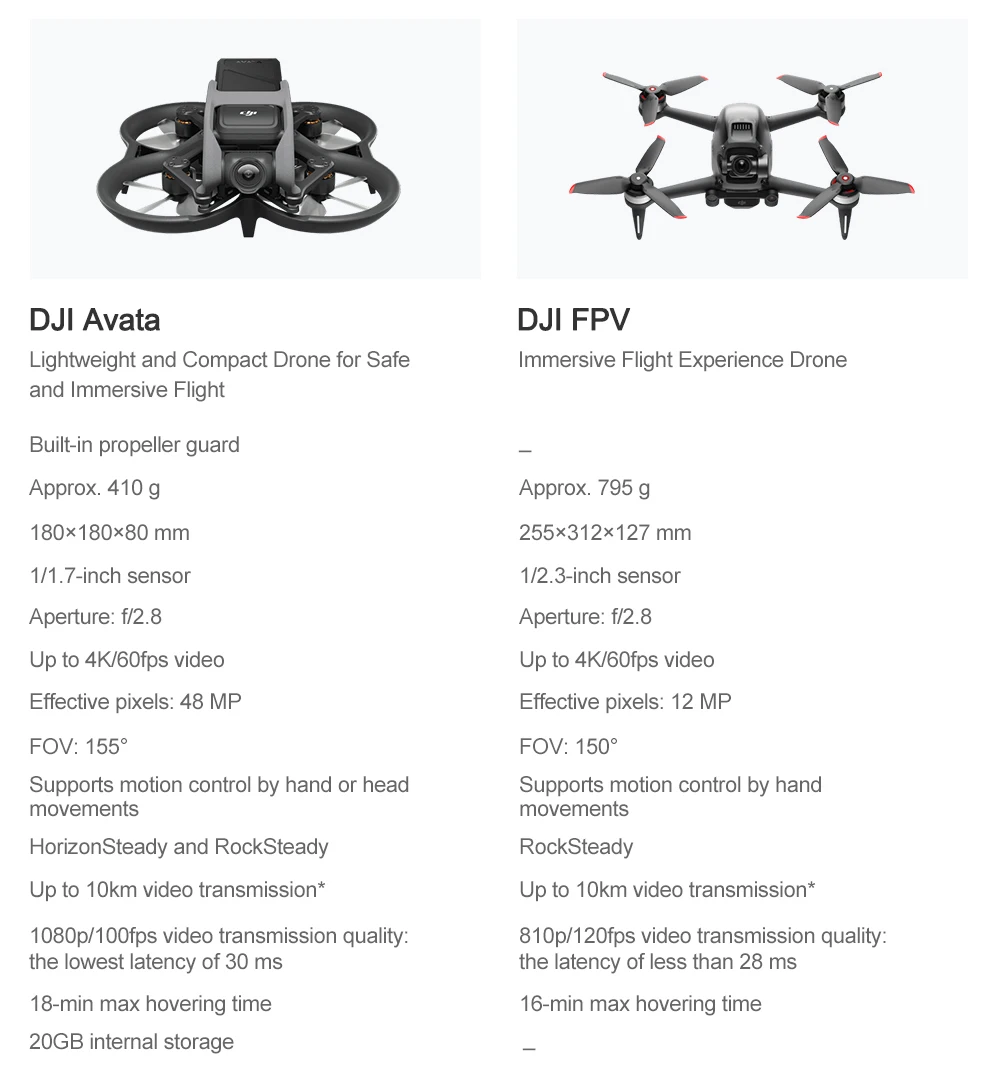
Which is the Best for you?
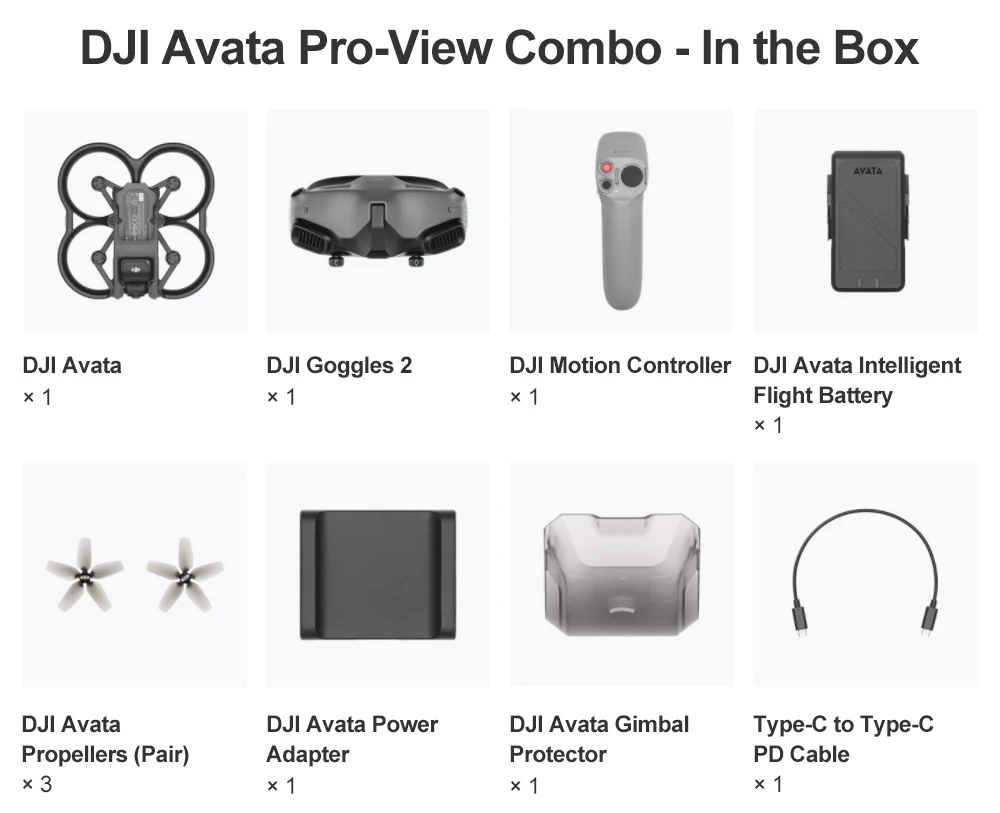
In the Box
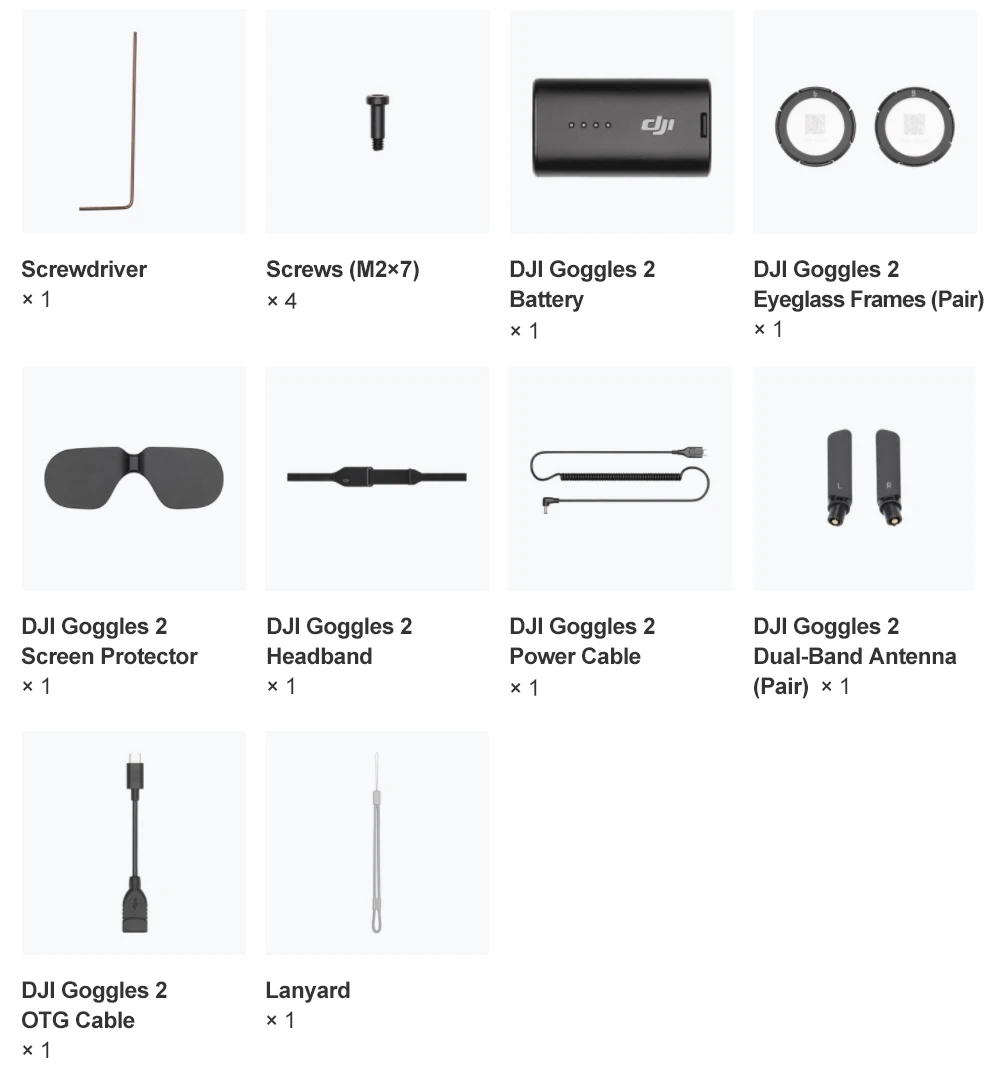
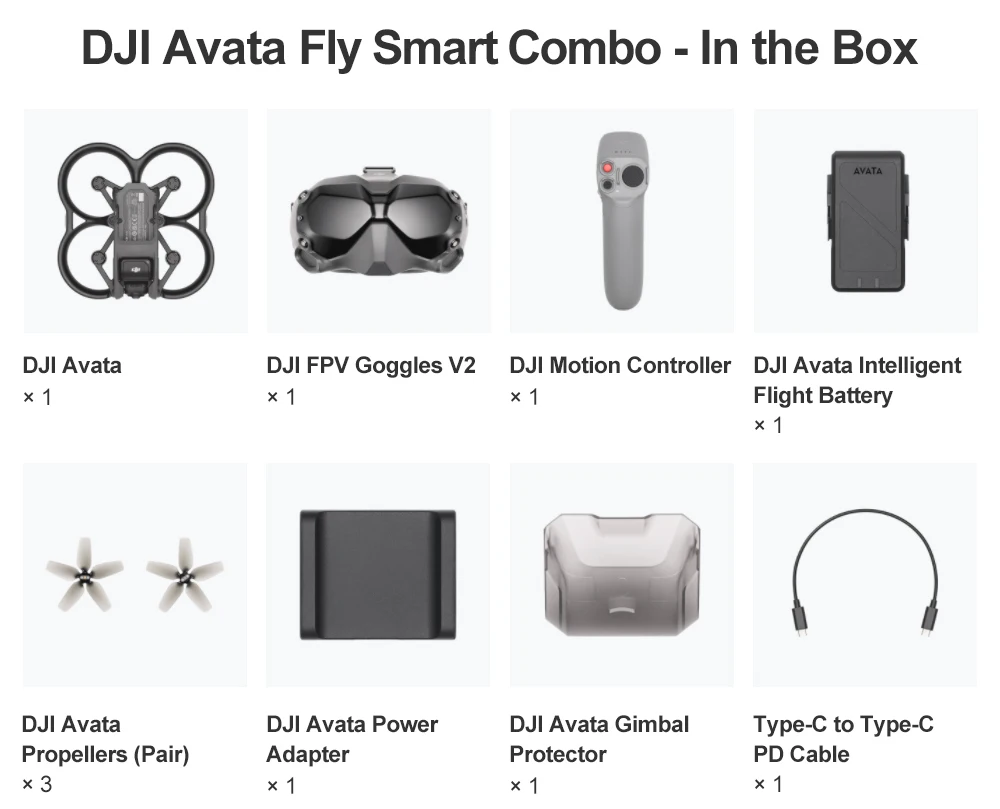
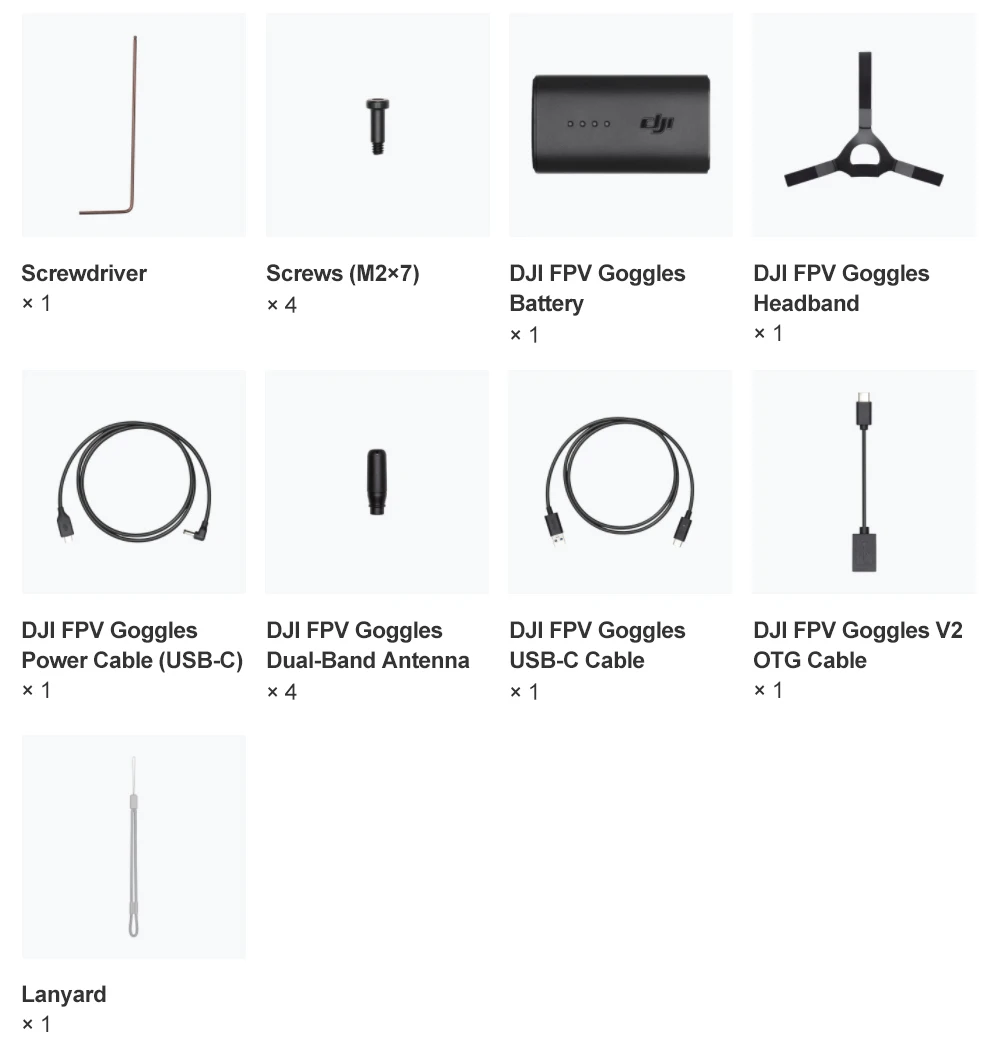
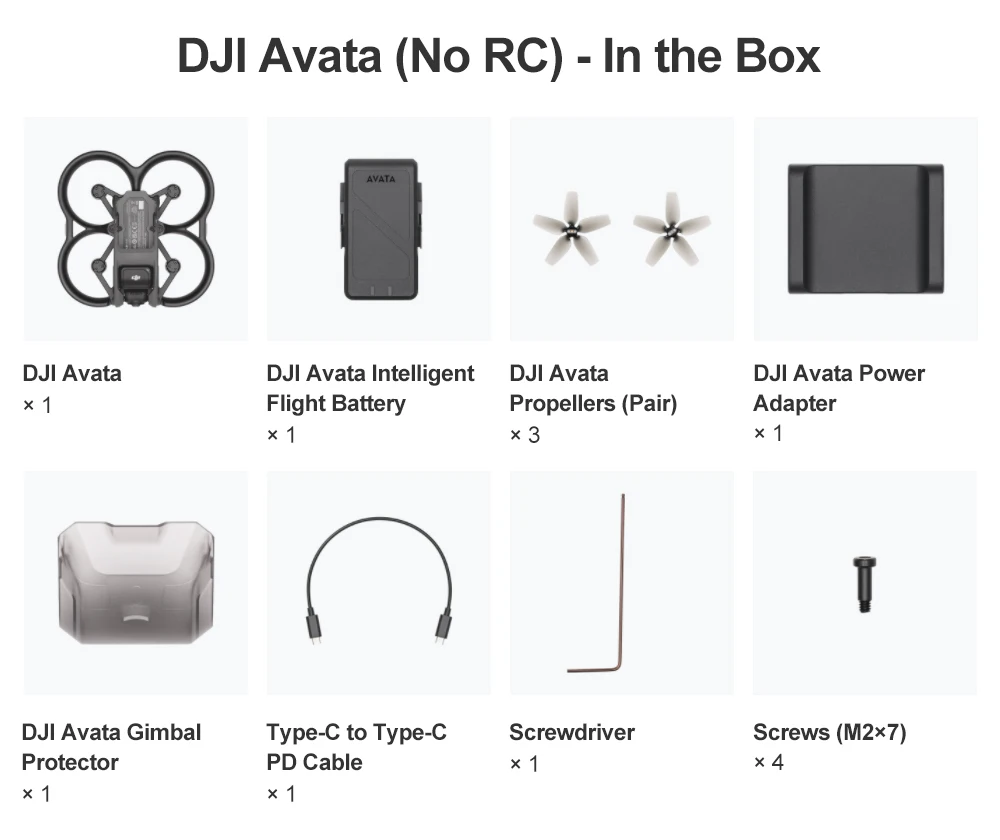
MicroSD Card

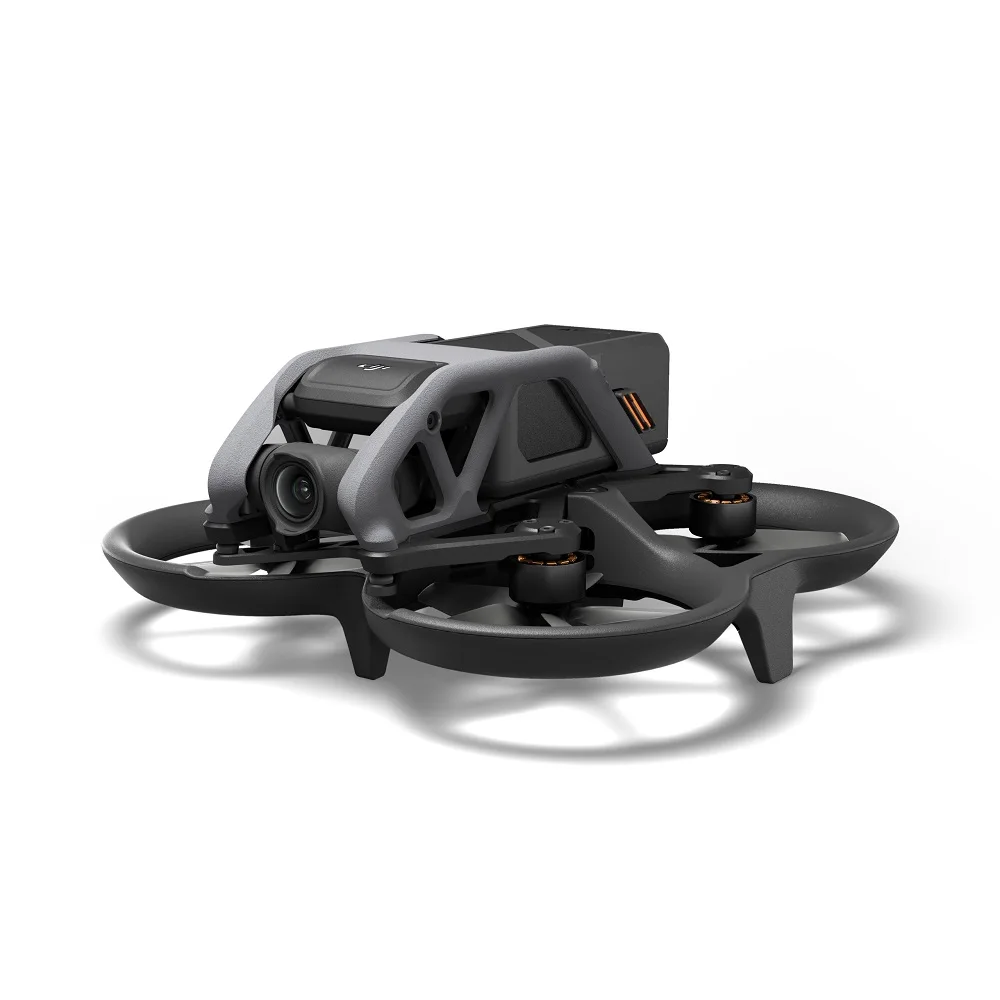
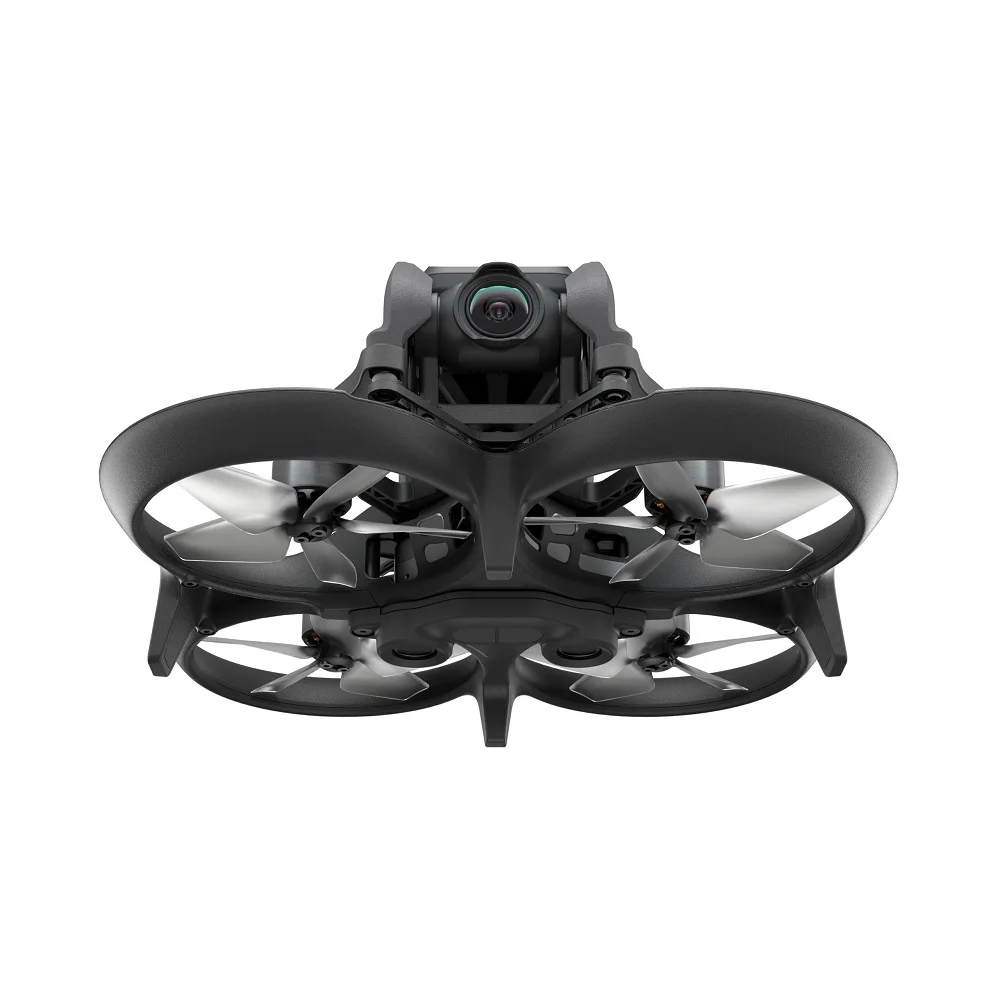
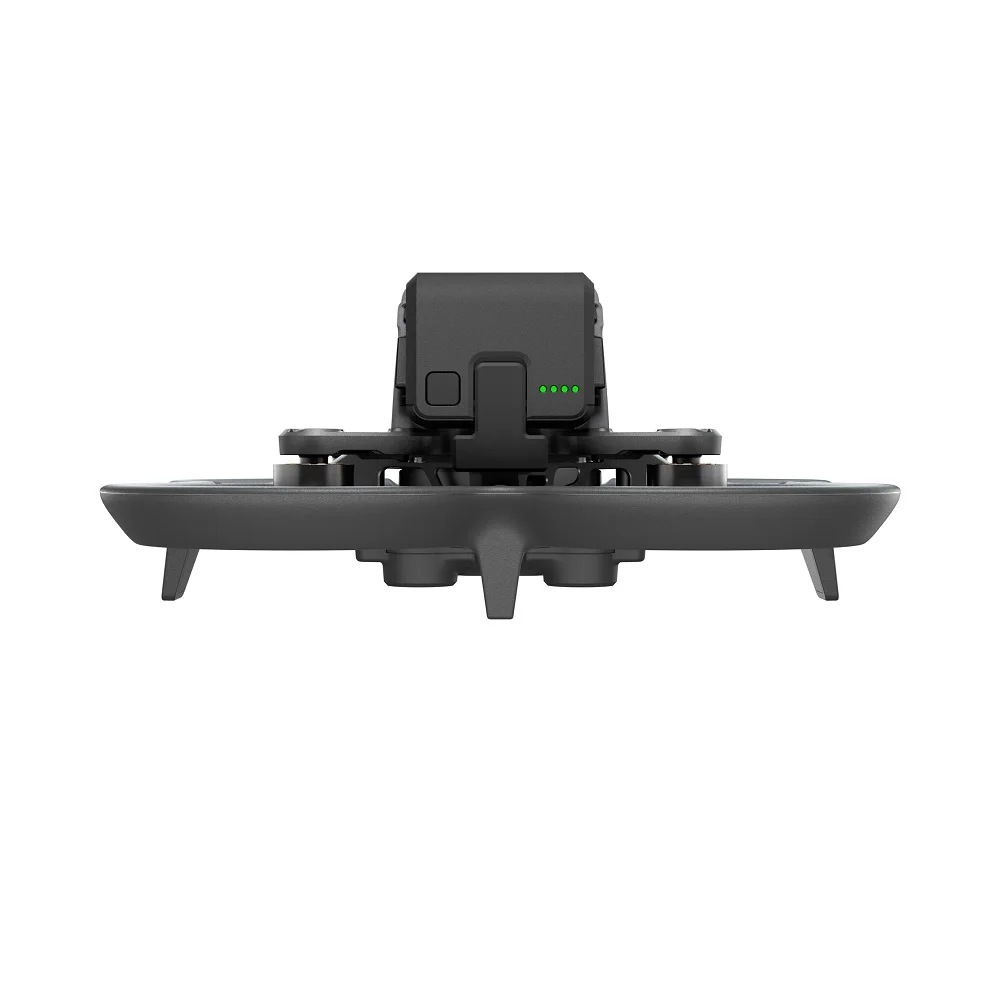
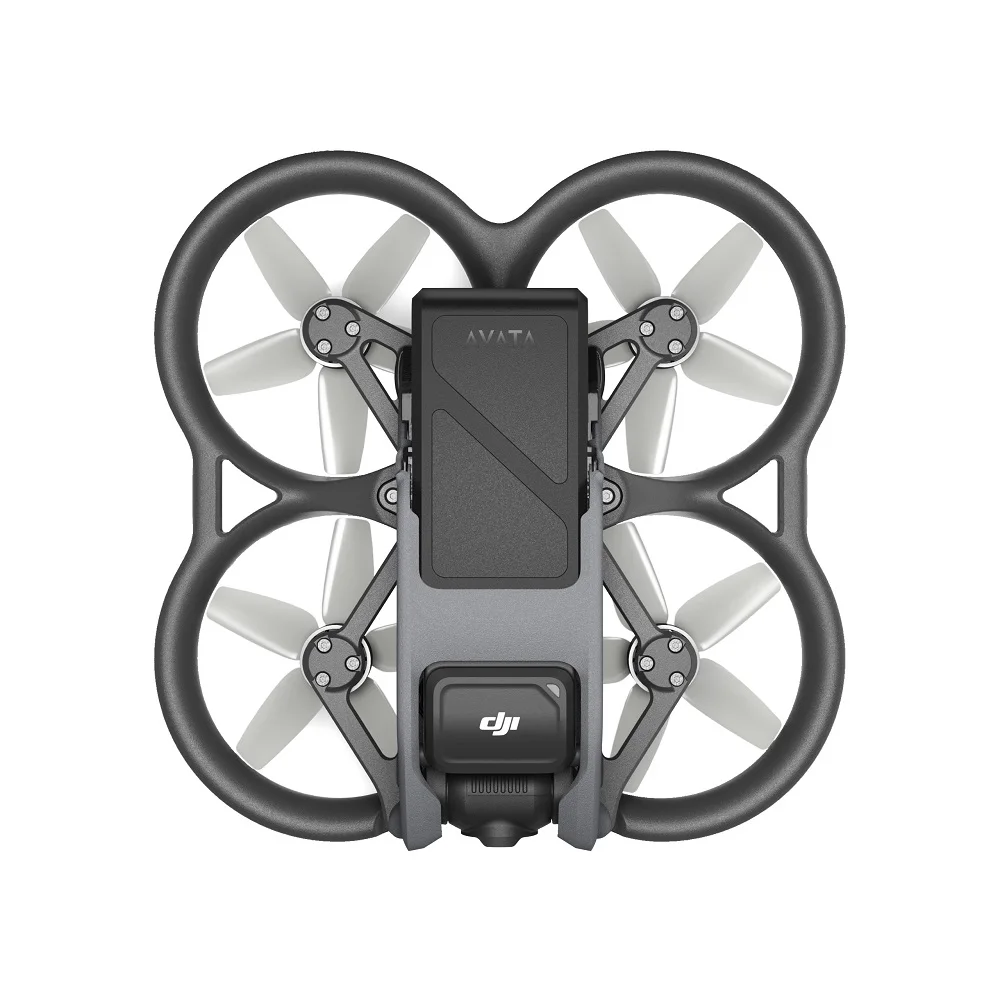
DJI Avata
Get a Feel for Flying
Flight is accessible to all with the DJI Motion Controller. It follows your hand movements and allows users of all levels to fly with confidence.
Super-Smooth 4K Video
Shoot 4K/60fps video with the 155° FOV for visuals that stand out. And keep your footage stable with RockSteady and HorizonSteady.
Light and Agile
Avata's compact design makes it more convenient to carry and perfect for hitting the tightest gaps. Take it with you and fly like never before.
Built for You to be Bold
Avata features a built-in propeller guard, an Emergency Brake button, and downward sensors for next-level safety and low-altitude flight.
Let’s Answer Your Questions
What is the difference between DJI Avata and ordinary camera drones? Is it worth buying?
Compared with ordinary camera drones, DJI Avata supports motion control to provide more immersive flight experience.
1. DJI Avata can be used with goggles and DJI Motion Controller. The easy and intuitive control allows you to experience a more immersive flight and aerial photography.
2. The aircraft body is lightweight and portable, making it flexible to fly in various scenarios. It also comes with a built-in propeller guard to further improve flight safety.
3. Compared with the 84° FOV of ordinary camera drones, the video recording FOV of DJI Avata has been expanded to 155°. This expanded FOV makes a breakthrough in aerial photography and facilitates more impactful visual effects.
What is the difference between DJI Avata, DJI Avata Pro-View Combo, and DJI Avata Fly Smart Combo?
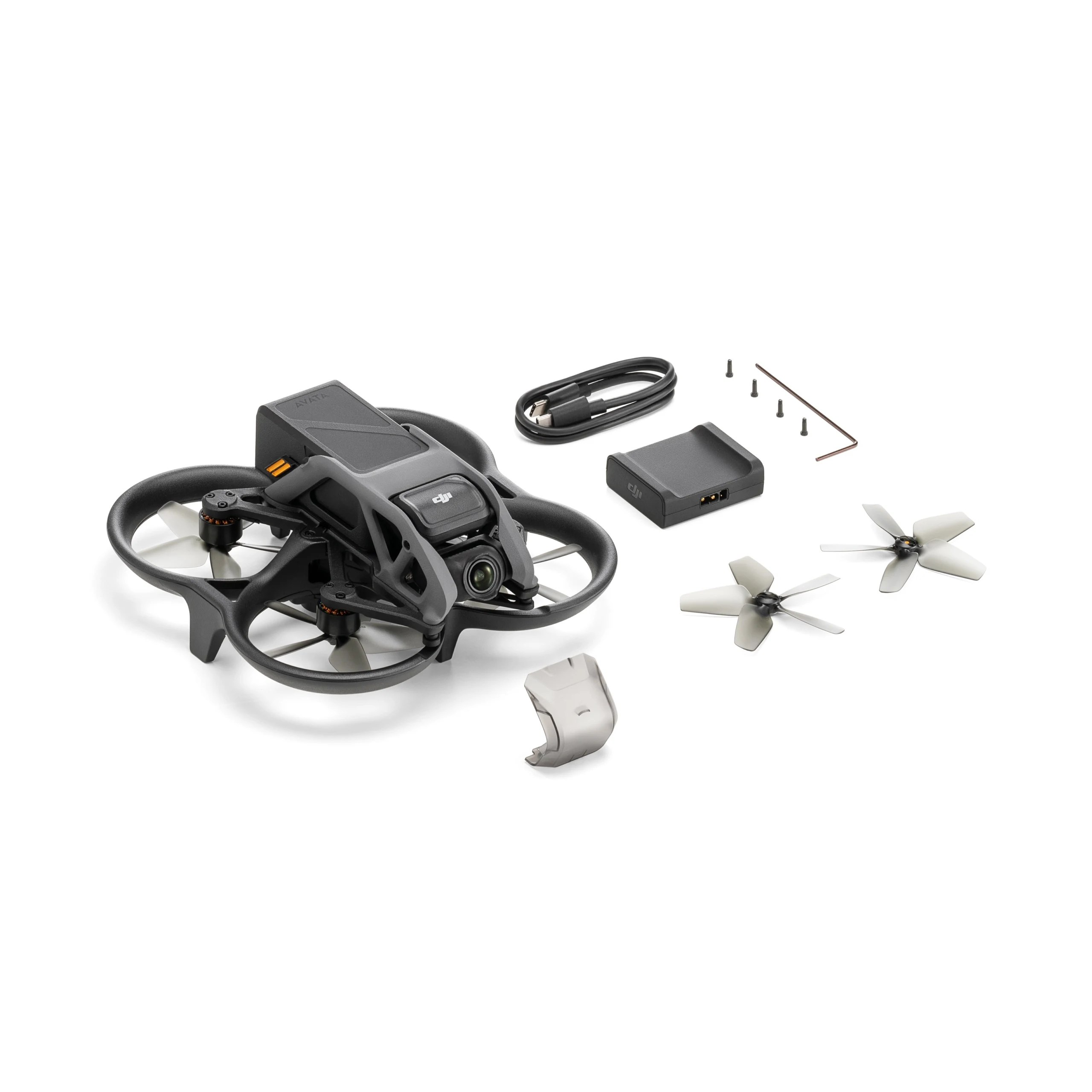
DJI Avata: Does not include a remote controller or goggles. You can use the DJI Motion Controller, DJI FPV Remote Controller 2, or DJI FPV Goggles V2 that you already own.
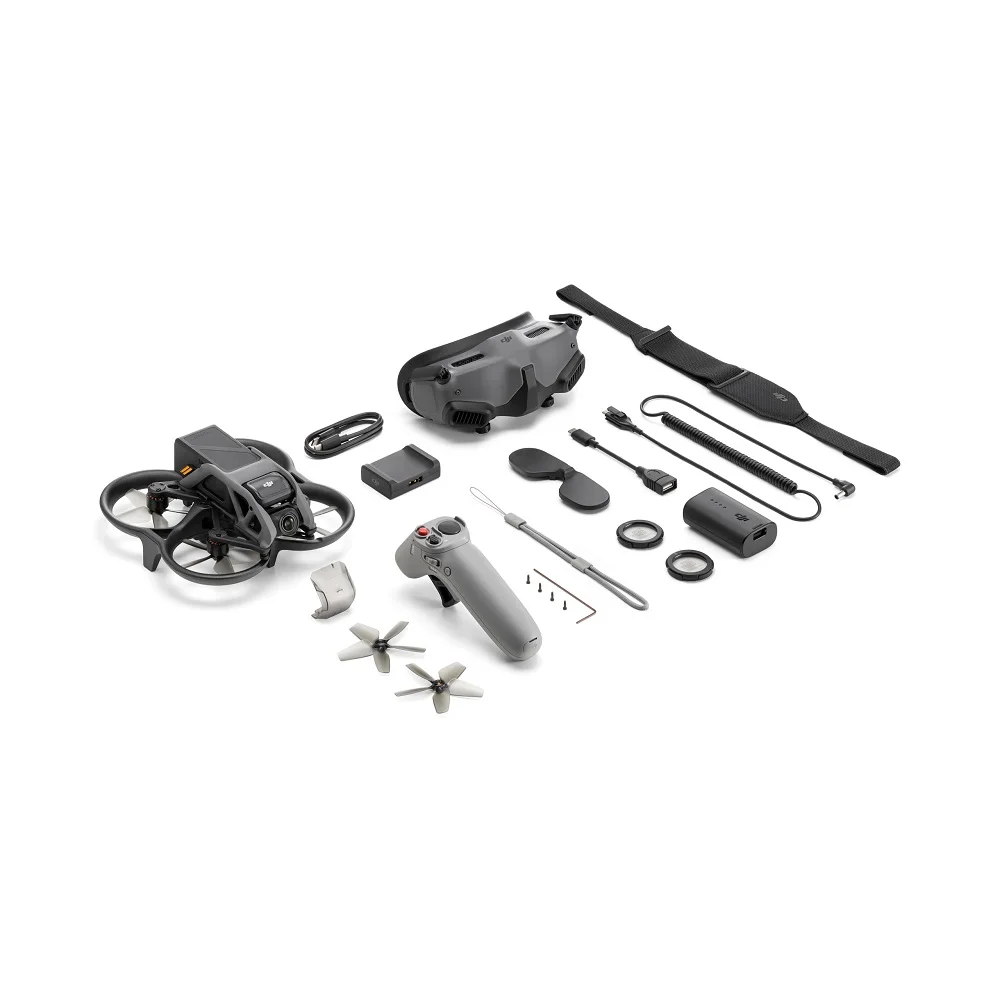
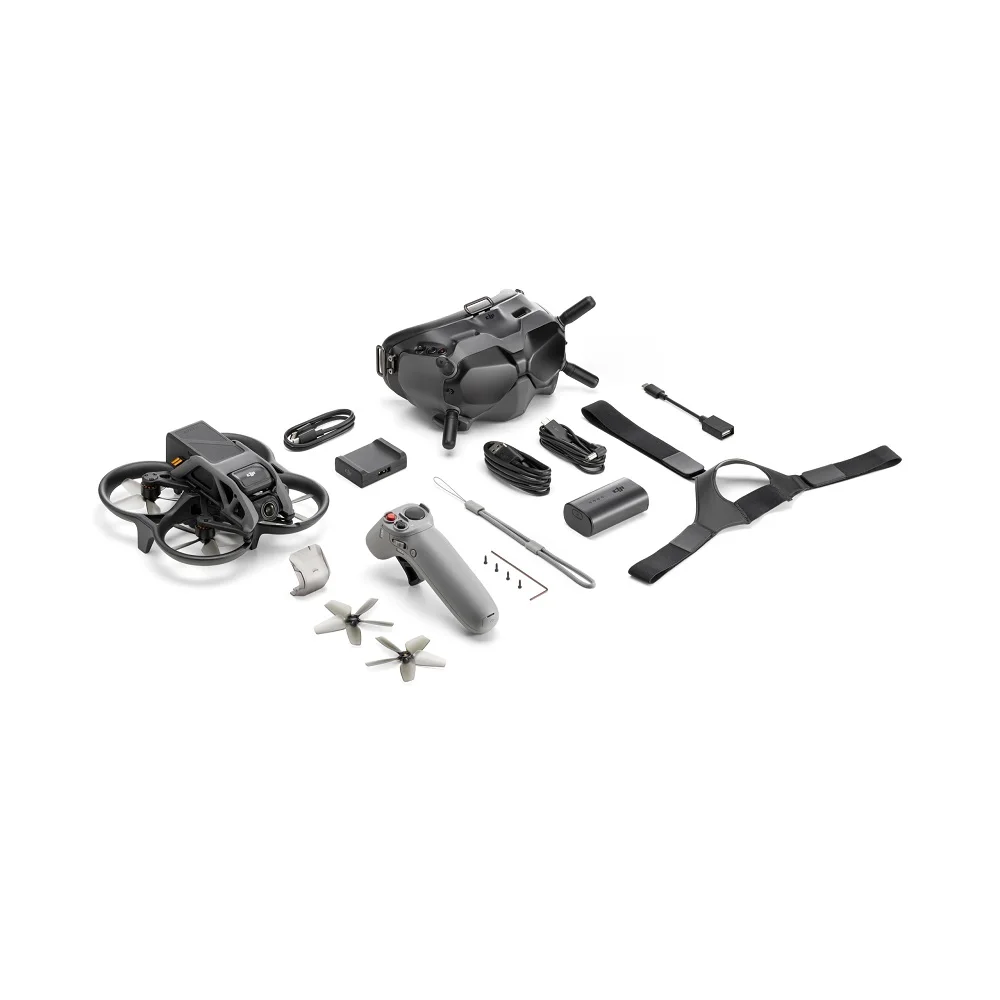
DJI Avata Pro-View Combo: Includes DJI Goggles 2 and DJI Motion Controller, which can realize intuitive control by hand and head movements to provide an immersive sensory experience with flexibility and ease.
DJI Avata Fly Smart Combo: Includes DJI FPV Goggles V2 and DJI Motion Controller, making it a cost-effective choice for immersive flight experience.
What are the benefits of choosing DJI Avata for beginners?
1. When using the standard DJI Motion Controller in one of the combos, you can perform motion control on the aircraft. That is, you can turn your wrist to control the direction of flight, and the aircraft will fly wherever you point to. You can also press the accelerator to control the speed of flying forward, or release the accelerator to let the aircraft hover in place. The control is intuitive and easy-to-learn.
2. With DJI Goggles 2, you can use the head tracking function. Together with DJI Motion Controller, the easy and intuitive control can bring a stronger sense of immersion and allow you to easily complete various kinds of flight movements.
3. DJI Avata is compatible with the DJI Virtual Flight app. When using it with the goggles and remote controller, you can immerse yourself in the vivid scenarios and start flight simulation, get realistic control feedback, and master flight skills and emergency handling methods. As a result, you can be more confident when flying in the real world.
How safe is DJI Avata?
1. DJI Avata comes with a built-in propeller guard, so that the aircraft body is stronger and more durable, and can fly normally after minor collisions.
2. DJI Avata is equipped with downward obstacle sensing capability. In case of an emergency during flight, you only need to press the Emergency Brake and Hover button on the DJI Motion Controller, and the aircraft can hover in the air to leave plenty of buffer space for you.
3. If the battery is low, it will trigger the Return to Home (RTH) feature*, and the return point can be presented in AR form to show the direction information more intuitively.
* RTH is available when there is a good GPS signal.
Compared with DJI FPV Goggles V2, what upgrades does DJI Goggles 2 have?
1. A new control method: DJI Goggles 2 features a head tracking function, which allows you to intuitively control the drone's camera with your head movements, realizing more efficient camera movements and composition.
2. Lightweight, portable, and comfortable: DJI Goggles 2 weighs only 290 g, which is 30% lighter than DJI FPV Goggles V2, making it easier to carry anywhere and more suitable for long-term use. The soft foam padding fits well with your face to greatly reduce light leakage.
3. Screen material and display effect upgrades: DJI Goggles 2 is equipped with two 1080p Micro-OLED screens. Moreover, it uses an independent video processing chip to further improve the resolution and smoothness of video playback.
4. More friendly to far/nearsighted users: DJI Goggles 2 supports diopter adjustment from -8.0 D to +2.0 D and also comes with free eyeglass frames. If you require astigmatism correction, or if the goggles' diopter is unsuitable, you can purchase additional lenses and use the eyeglass frames to install them on the goggles.
5. Wireless streaming: DJI Goggles 2 supports Wi-Fi wireless streaming to display videos from mainstream video software using DLNA protocol.
What is DJI Motion Controller? Is it worth buying?
DJI Motion Controller supports one-handed operation, and can be used to achieve motion control of the aircraft. That is, the aircraft movements will follow your hand movements, and can fly wherever you point to. The intuitive and easy-to-use control mode allows even beginners to effortlessly operate the aircraft to perform difficult actions.
Does DJI Avata support other remote controllers and goggles?
DJI Avata is compatible with DJI Goggles 2, DJI FPV Goggles V2, DJI FPV Remote Controller 2, and DJI Motion Controller.
What is the difference between using DJI Avata with DJI Motion Controller and DJI FPV Remote Controller 2?
DJI Motion Controller supports more intuitive and easy-to-use controls.
DJI FPV Remote Controller 2 is suitable for users who are accustomed to the dual-stick control mode and want to use M Mode for precise control.
Can I use DJI Avata without the goggles?
No.
Notice
* Unobstructed, free of interference, and when FCC-compliant. Maximum flight range specification is a proxy for radio link strength and resilience. Always follow local rules and regulations and fly your drone within your visual line of sight unless otherwise permitted.
1. DJI Avata is compatible with DJI Goggles 2, DJI FPV Goggles V2, DJI FPV Remote Controller 2, and DJI Motion Controller.
2. The 155° FOV is only available when the aspect ratio is 4:3, and the video recording specification is 2.7K@50/60fps or 1080p@50fps/60fps; the aspect ratio is 16:9, and the video recording specification is 4K@50/60fps, 2.7K@50/60fps, or 1080p@50/60fps.
3. HorizonSteady is only available in Normal mode FOV with an aspect ratio of 16:9 and the video recording specification of 4K@50/60fps, 2.7K@50/60fps, or 1080p@50/60fps. RockSteady is unavailable when the video recording specification is 2.7K@100/120fps or 1080p@100/120fps.
4. DJI Avata only supports downward obstacle sensing when used with DJI FPV Remote Controller 2 or DJI Motion Controller in N Mode or S Mode.
5. DJI Avata must maintain a distance of at least 0.25 m from the ground.
Pagamento e segurança
Suas informações de pagamento são processadas com segurança. Nós não armazenamos dados do cartão de crédito nem temos acesso aos números do seu cartão.